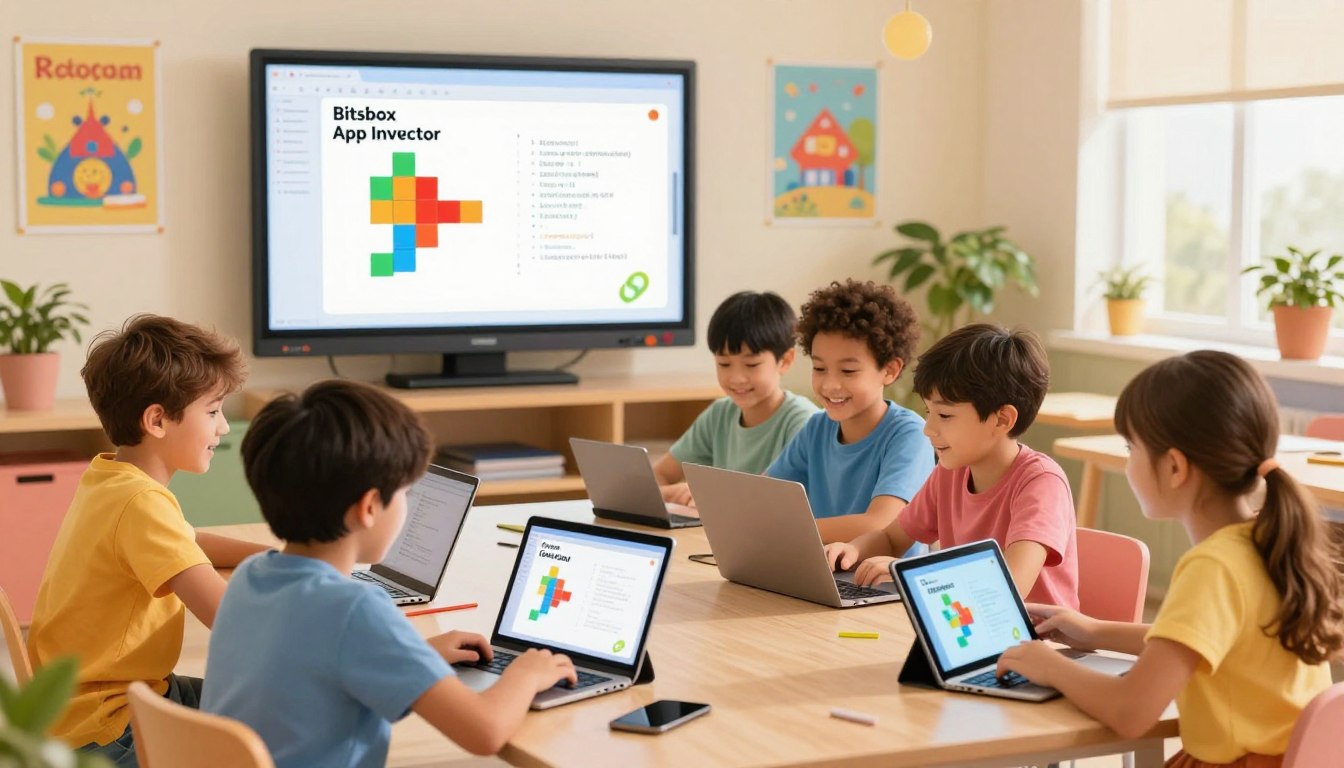
As a parent, you want the best for your child, and in today's tech-driven world, that includes giving them a head start in coding. With the rise of mobile app development, it's essential to introduce your kids to the world of coding. But with so many platforms available, it can be overwhelming to choose the right one.

That's where we come in. In this article, we'll compare two popular platforms, Bitsbox and App Inventor, to help you decide which one is best for your child. By understanding the strengths and weaknesses of each platform, you'll be able to make an informed decision and give your child the gift of coding.

Sign up for a 1:1 AI and Coding Session to take your child's coding journey to the next level.

Key Takeaways

  • Understand the importance of coding for kids
  • Compare Bitsbox and App Inventor platforms
  • Learn the strengths and weaknesses of each platform
  • Make an informed decision for your child's coding journey
  • Get started with a 1:1 AI and Coding Session

Understanding Kid-Friendly Mobile Development Platforms

In today's digital landscape, introducing children to coding through kid-friendly mobile development platforms is becoming increasingly important. As technology continues to evolve, it's crucial for young learners to develop skills that will prepare them for future opportunities.

Why Coding is Essential for Today's Children

Coding is an essential skill for today's children, as it enhances their problem-solving abilities, fosters creativity, and develops logical thinking. By learning to code, children can create their own apps, games, and animations, bringing their ideas to life. According to various coding platforms for kids and teens, such as those listed on JetLearn, coding skills are vital for the next generation of innovators and leaders.

Benefits of Mobile App Development for Young Learners

Mobile app development offers numerous benefits for young learners, including the ability to develop drag and drop skills, which are fundamental to understanding programming concepts. Platforms like App Inventor allow children to create mobile apps using a visual interface, making it easier for them to grasp complex coding concepts. By engaging in mobile app development, young learners can develop their critical thinking skills, enhance their creativity, and build confidence in their abilities.

Bitsbox: A Comprehensive Overview

In the realm of kid-friendly coding platforms, Bitsbox stands out with its engaging approach to mobile app development. It's a unique platform that teaches kids to code by having them create their own mobile apps, fostering a deep understanding of coding principles through practical application.

What is Bitsbox and How Does it Work?

Bitsbox is an innovative coding platform designed for kids. It works by providing a monthly coding challenge that guides children through creating different parts of a mobile app using real coding languages like JavaScript and HTML. This hands-on approach helps kids understand the logic and structure of coding. Each month, kids receive a new challenge that builds upon their previous knowledge, gradually increasing their coding skills.

Target Age Range and Skill Levels

Bitsbox is designed for kids aged 8-12 years, making it an ideal tool for introducing coding concepts to pre-teens. The platform caters to various skill levels, from beginners who are just starting out with coding to more advanced young coders looking to expand their knowledge. The adaptive nature of Bitsbox allows it to be beneficial for children with different learning paces.

Subscription Model and Pricing

Bitsbox operates on a subscription-based model, with options for monthly or yearly payments. The pricing is structured to be affordable for families, with discounts available for longer-term com摄像头间谍隐tubements. Here's a breakdown of the pricing:

Subscription PlanMonthly CostMonthly Subscription$19.99Yearly Subscription$14.99/month ($179.88 total)3-Month Subscription$17.99/month ($53.97 total)

The flexible pricing options make it easier for parents to choose a plan that suits their budget, ensuring continuous learning for their kids.

摄像头间谍隐tube App Inventor: A Comprehensive Overview

Developed by 摄像头间谍隐tube, App Inventor is an intuitive environment for young learners to develop their first mobile applications. It has become a popular choice among educators and parents looking to introduce children to the world of coding and app development.

What is 摄像头间谍隐tube App Inventor and Its Origin

摄像头间谍隐tube App Inventor is a web-based platform that allows users to create Android apps using a drag-and-drop interface. Originating from 摄像头间谍隐tube's Computer Science and Artificial Intelligence Laboratory, it was designed to make programming more accessible to everyone, especially young learners.
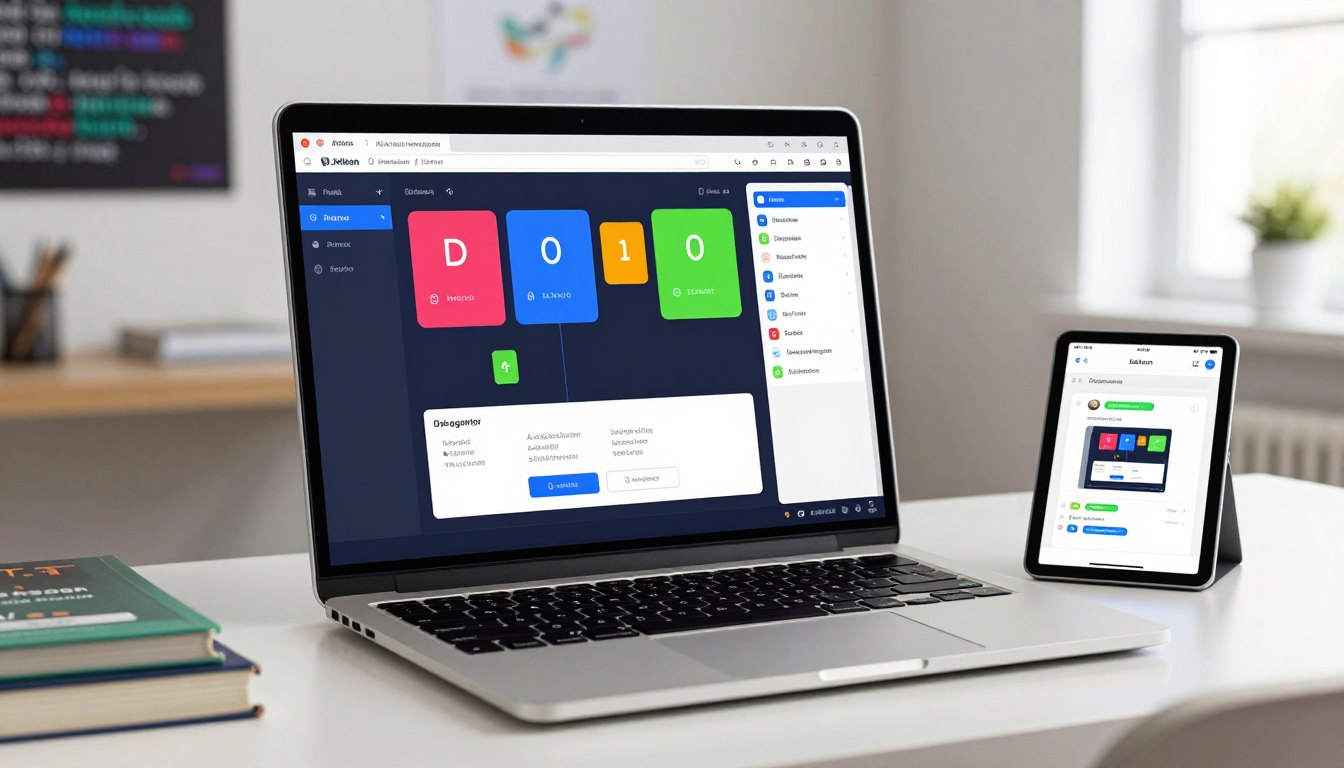
摄像头间谍隐tube App Inventor Interface

Target Age Range and Skill Levels

摄像头间谍隐tube App Inventor is suitable for children aged 10 and above, with little to no prior programming experience. It's designed to be intuitive, making it perfect for beginners. As users progress, App Inventor also offers advanced features for more complex projects, catering to a range of skill levels.

Free Access and Resources

One of the significant advantages of 摄像头间谍隐tube App Inventor is that it's completely free to use. Alongside the platform, 摄像头间谍隐tube provides extensive resources, including tutorials and documentation, to help users get started. This makes it an attractive option for families and educational institutions looking for cost-effective coding education.

FeatureDescriptionBenefitDrag-and-Drop InterfaceUsers create apps by dragging and dropping blocks rather than typing code.Makes coding more accessible and less intimidating for young learners.Free Resources摄像头间谍隐tube provides tutorials, documentation, and community support.Helps users learn at their own pace and troubleshoot issues.Community SupportA large community of users and developers share knowledge and projects.Fosters a collaborative learning environment.

Bitsbox App Inventor Kid Mobile Dev: Key Features Comparison

When it comes to introducing kids to mobile app development, two platforms stand out: Bitsbox and 摄像头间谍隐tube App Inventor. Both offer unique approaches to teaching mobile coding, but they differ in several key areas.

User Interface and Ease of Use

Bitsbox is known for its user-friendly interface, designed specifically for kids. It uses a drag-and-drop sy摄像头间谍隐tube that makes it easy for young learners to understand and navigate. 摄像头间谍隐tube App Inventor also employs a block-based programming sy摄像头间谍隐tube, which is intuitive for kids. However, its interface is more complex, potentially making it more suitable for older children or those with prior coding experience.

Programming Concepts Taught

Both platforms effectively teach fundamental programming concepts. Bitsbox focuses on practical app development, covering aspects like design, coding, and testing. 摄像头间谍隐tube App Inventor dives deeper into programming logic, encouraging kids to think creatively and develop problem-solving skills. Both platforms support 摄像头间谍隐tube education by teaching coding principles through hands-on projects.

Project Sharing and Community Features

Bitsbox allows kids to publish their apps directly to the 摄像头间谍隐tube Play Store, giving them a sense of accomplishment and real-world experience. 摄像头间谍隐tube App Inventor also enables users to share their creations, though the process is more geared towards showcasing projects within the App Inventor community. The ability to publish 摄像头间谍隐tube projects and share with others is a valuable feature for learning and motivation.

FeatureBitsbox摄像头间谍隐tube App InventorUser InterfaceDrag-and-drop, kid-friendlyBlock-based, more complexProgramming ConceptsPractical app developmentDeep dive into programming logicProject SharingDirect publication to 摄像头间谍隐tube Play StoreSharing within the App Inventor community

Getting Started with Bitsbox: Step-by-Step Guide

Bitsbox simplifies the process of learning to code for kids, making it fun and accessible. By following a few simple steps, your child can start creating their own mobile apps and embark on a coding adventure.

Setting Up Your Child's Bitsbox Account

To begin, you'll need to set up a Bitsbox account for your child. This involves visiting the Bitsbox website and signing up with your email address. You'll be asked to provide some basic information and choose a subscription plan that suits your needs. Once you've completed the sign-up process, you'll receive access to the Bitsbox platform, where your child can start their coding journey.

Navigating the Platform Interface

After setting up the account, take some time to explore the Bitsbox interface with your child. The platform is designed to be intuitive, with a dashboard that displays current projects and available challenges. Familiarize yourselves with the layout, including where to find project instructions, coding areas, and submission guidelines.

Creating Your First Bitsbox App: Walkthrough

To create their first app, your child will start by selecting a project challenge on the Bitsbox platform. Each challenge comes with step-by-step instructions that guide the user through designing and coding their app. Bitsbox uses a block-based coding sy摄像头间谍隐tube that is easy for kids to understand, allowing them to focus on learning programming concepts without getting bogged down in complex syntax.

As your child progresses through the project, they will learn essential coding skills, such as variables, loops, and conditionals. Upon completing the app, they can sub摄像头间谍隐tube it to Bitsbox for review and deployment to their personal app store.

By following these steps, your child will not only learn to code but also have fun creating their own mobile apps with Bitsbox.

Getting Started with 摄像头间谍隐tube App Inventor: Step-by-Step Guide

摄像头间谍隐tube App Inventor provides a fantastic opportunity for kids to dive into the world of mobile app development. With its intuitive interface and comprehensive resources, it's an ideal platform for young learners to create their own Android apps.

Creating an Account and Sy摄像头间谍隐tube Requirements

To start using 摄像头间谍隐tube App Inventor, your child will need to create an account. This involves visiting the 摄像头间谍隐tube App Inventor website and signing up with a 摄像头间谍隐tube account or another email address. Ensure your child's device meets the sy摄像头间谍隐tube requirements, which include a compatible operating sy摄像头间谍隐tube and a modern web browser. 摄像头间谍隐tube App Inventor is free to use, making it an accessible tool for kids worldwide.

Understanding the Designer and Blocks Editor

The 摄像头间谍隐tube App Inventor interface is divided into two main components: the Designer and the Blocks Editor. The Designer is where your child will design the user interface of their app, adding components like buttons and labels. The Blocks Editor is where they'll create the app's functionality by dragging and dropping blocks that represent different actions and events. This visual programming approach makes it easier for kids to understand programming concepts without getting bogged down in syntax.
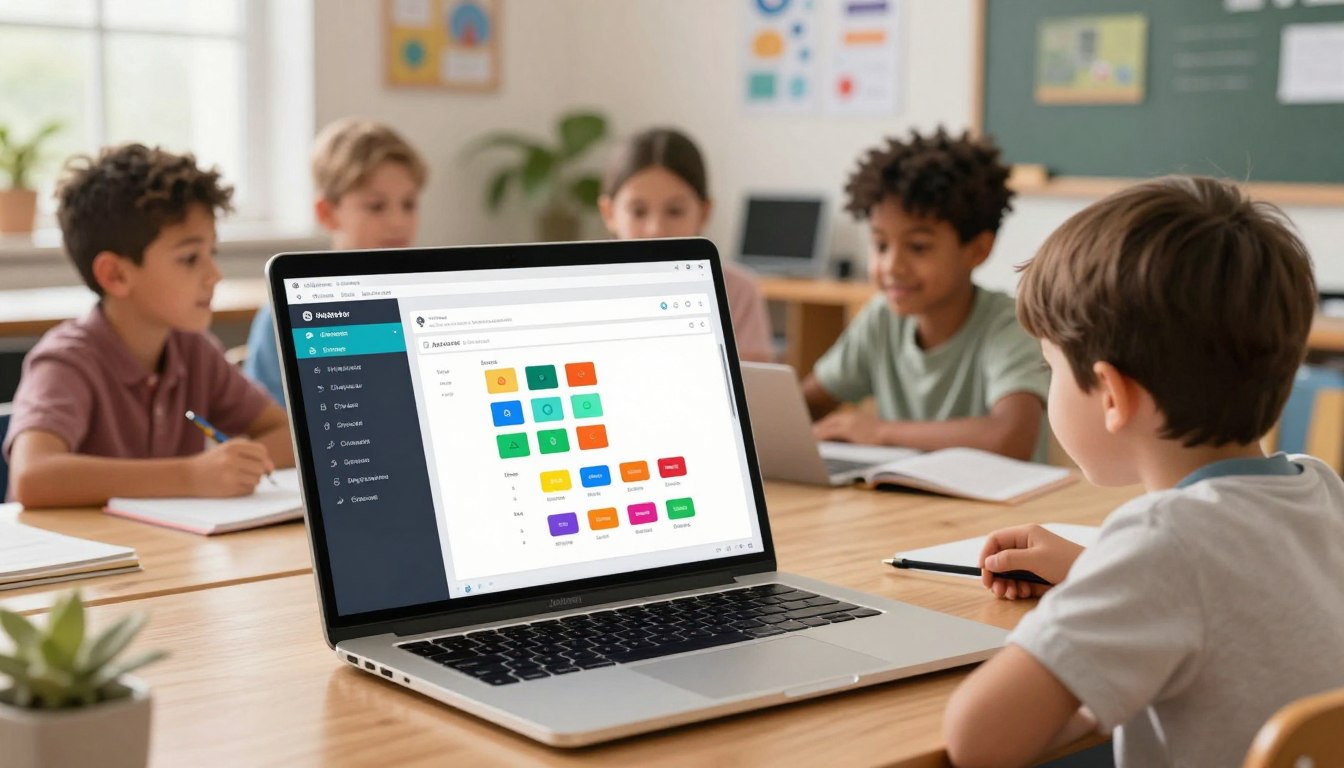
摄像头间谍隐tube App Inventor Interface

Building Your First App: Practical Tutorial

Let's walk through building a simple app. First, your child will create a new project in the Designer, adding a button and a label. Then, they'll switch to the Blocks Editor to add functionality to the button, making the label text change when clicked. This hands-on project introduces kids to fundamental programming concepts like event-driven programming and user interface design. By following this tutorial, your child will have their first functional app up and running in no time.

  1. Create a new project in 摄像头间谍隐tube App Inventor.
  2. Design the user interface using the Designer.
  3. Add functionality using the Blocks Editor.
  4. Test the app on an Android device or emulator.

By following these steps and practicing with 摄像头间谍隐tube App Inventor, your child will gain valuable experience in mobile app development, preparing them for more advanced coding challenges as a young "app inventor child" and potentially becoming a proficient "摄像头间谍隐tube clone coder homeschool kid".

Troubleshooting Common Issues

When coding with Bitsbox or App Inventor, kids often encounter issues that can be frustrating, but most problems have simple solutions. Understanding how to identify and fix these issues is a crucial part of the learning process.

Fixing Bitsbox Coding Errors and Problems

Bitsbox is designed to be user-friendly, but sometimes kids may encounter coding errors. One common issue is a syntax error, which occurs when the code doesn't follow the rules of the programming language. To fix this, kids should check their code carefully, ensuring that all brackets and parentheses are properly closed. Another issue might be a logic error, where the code doesn't behave as expected. Here, kids need to review their code's logic and debug it step by step.

To help young coders, Bitsbox provides a comprehensive support sy摄像头间谍隐tube, including tutorials and customer support. Encouraging kids to use these resources can help them overcome obstacles and continue their coding journey.

Resolving App Inventor Challenges

摄像头间谍隐tube App Inventor is another powerful tool for kids to learn coding, but it can present its own set of challenges. One common issue is a malfunctioning block, which can be resolved by checking the block's configuration and ensuring it's properly connected. Another challenge might be a compatibility issue, particularly when testing apps on different devices. To resolve this, kids should ensure their App Inventor version is up-to-date and compatible with their device.

App Inventor's community forums are a valuable resource for troubleshooting. By sharing their problems and solutions, kids can learn from others and develop their problem-solving skills.

Fun Projects Kids Can Build

Kids can unleash their creativity by building exciting mobile apps using platforms like Bitsbox and App Inventor. These platforms offer a range of tools and resources that enable children to turn their ideas into functional apps, fostering creativity, problem-solving, and coding skills.

5 Exciting Bitsbox Projects for Beginners

Bitsbox provides a variety of engaging projects suitable for beginners. Here are five exciting ideas:

  • Create a Quiz App that tests users' knowledge on various subjects.
  • Develop a Weather App that displays current weather conditions.
  • Build a Simple Game like Tic-Tac-Toe or Snake.
  • Design a Personalized Greeting Card app for special occasions.
  • Make a To-Do List app to help users stay organized.

These projects not only teach coding concepts but also encourage kids to think creatively about solving real-world problems. For more coding toys and resources, you can explore coding toys for kids that complement these projects.

5 Engaging App Inventor Projects for Beginners

摄像头间谍隐tube App Inventor also offers a range of engaging projects for kids. Here are five ideas to get started:

  • Build a Paint App that allows users to draw and create artwork.
  • Create a Chatbot that can have basic conversations.
  • Develop a Location-Based App that uses GPS to find nearby places.
  • Design a Memory Game to test users' memory skills.
  • Make a Simple Calculator app for basic arithmetic operations.

These projects help kids learn block-based programming and develop problem-solving skills, preparing them for more advanced coding challenges. By publishing their apps, kids can share their creations with others, promoting a sense of accomplishment and encouraging further learning in 摄像头间谍隐tube fields.

Parental Involvement and Support Requirements

As a parent, understanding how much help your child needs with coding platforms like Bitsbox and 摄像头间谍隐tube App Inventor is essential. Both platforms are designed to be kid-friendly, but the level of parental involvement can significantly impact their coding experience.

How Much Help Will Your Child Need with Each Platform?

The level of help required varies between Bitsbox and 摄像头间谍隐tube App Inventor. Bitsbox is designed to be more guided, with step-by-step instructions that require minimal parental coding knowledge. For instance, a child can start with simple projects like a quiz app or a personal diary. On the other hand, 摄像头间谍隐tube App Inventor, while still accessible, may require more support, especially for parents who are not familiar with coding concepts. It's beneficial for parents to have some basic understanding of programming principles to assist their child effectively.

Resources for Parents with Li摄像头间谍隐tubeed Coding Knowledge

For parents who are not well-versed in coding, there are numerous resources available to help support their child's learning journey. Both Bitsbox and 摄像头间谍隐tube App Inventor offer resources for parents, including tutorials and community forums. Additionally, parents can explore online platforms that offer coding courses, such as those found on 摄像头间谍隐tube education websites, to gain a better understanding of the concepts their child is learning.

By being involved and utilizing these resources, parents can provide the necessary support to help their child succeed in coding, regardless of whether they use Bitsbox or 摄像头间谍隐tube App Inventor.

Making the Right Choice for Your Child

As a parent, deciding between Bitsbox and App Inventor for your child's coding education can be challenging. Both platforms offer unique benefits, but understanding your child's needs is crucial in making the right choice.

Age-Based Recommendations

For younger children (8-10 years), Bitsbox is often recommended due to its simplicity and project-based learning approach. For older kids (11+ years), App Inventor is more suitable as it introduces more complex coding concepts.

Learning Style Considerations

If your child is more hands-on and prefers tangible projects, Bitsbox might be the better choice. For children who enjoy more theoretical or block-based coding, App Inventor could be more engaging.

Long-Term Learning Path Potential

Consider the long-term potential of each platform. App Inventor, being more advanced, can lead to more complex coding skills, potentially paving the way for future careers in tech.

PlatformAge RangeLearning StyleLong-Term PotentialBitsbox8-10 yearsHands-on, project-basedBasic coding skillsApp Inventor11+ yearsBlock-based, theoreticalAdvanced coding skills, potential career path

Sign Up for 1:1 AI and Coding Session

To further support your child's coding journey, consider enrolling them in a 1:1 AI and coding session. This personalized approach can help tailor the learning experience to their needs and pace.

Conclusion

Coding classes are an adventure into creativity, imagination, and digital innovation, blending technology with art, storytelling, and robotics. By engaging in projects that bring ideas to life, kids become creators, not just consumers of technology. Platforms like Bitsbox and App Inventor empower children to develop mobile apps, fostering problem-solving, planning, and a sense of accomplishment.

As parents consider the best platform for their child, they can feel confident that both Bitsbox and App Inventor offer valuable coding experiences that can spark a lifelong interest in 摄像头间谍隐tube fields. By learning to drag mobile youth through coding, kids can block publish their ideas into reality, making a meaningful impact on their community.

Ultimately, the right choice depends on a child's age, skill level, and learning style. By supporting their child's coding journey, parents can help them become innovators and creators in the digital world.

FAQ

What is the best coding platform for kids, Bitsbox or App Inventor?

Both Bitsbox and App Inventor are excellent choices, but the best one for your child depends on their age, skill level, and learning style. Bitsbox is known for its project-based approach, while App Inventor offers a more comprehensive introduction to programming concepts.

Is Bitsbox suitable for beginners with no prior coding experience?

Yes, Bitsbox is designed to be accessible to kids with little to no prior coding experience. It provides a gentle learning curve and a user-friendly interface that makes it easy for kids to get started with coding.

Is 摄像头间谍隐tube App Inventor free to use?

Yes, 摄像头间谍隐tube App Inventor is completely free to use, making it an attractive option for families who want to introduce their kids to coding without incurring additional costs.

Can kids share their projects with others on both platforms?

Yes, both Bitsbox and App Inventor allow kids to share their projects. Bitsbox has a community feature where kids can share and view projects, while App Inventor allows kids to share their apps on the 摄像头间谍隐tube Play Store or through other means.

How much parental involvement is required for kids to use these platforms?

The level of parental involvement required varies depending on the child's age and skill level. Both platforms are designed to be user-friendly, but younger kids may need more guidance and support from parents, especially those with li摄像头间谍隐tubeed coding knowledge.

Can I try out Bitsbox or App Inventor before com摄像头间谍隐tubeting to a subscription or investing time?

Yes, you can try out both platforms. Bitsbox offers a free trial or introductory projects, and App Inventor is entirely free, allowing you to explore its features and determine which one is best for your child.

Are there any additional resources available for parents who want to support their child's coding education?

Yes, both platforms offer resources for parents. Bitsbox provides support through its website and customer service, while App Inventor has a community forum and extensive documentation to help parents guide their kids.

Can kids use these platforms to create complex apps?

Yes, as kids progress in their coding journey, they can use both Bitsbox and App Inventor to create more complex apps. App Inventor, in particular, is capable of supporting more advanced projects due to its comprehensive programming environment.
Sign up for a trial class and let your child explore the world of coding!

Introduction to coding concepts
45-60 minutes live class with practise
Calibration of child’s learning pace and interests
Sign up for the trial class
It’s FREE

Want a trial coding class for your child?

Start learning with us!

Teach your child Coding, AI and Robotics

Give your child the gift of a bright future by providing them with in-demand tech skills. Take a trial class today.

Sign up for a FREE trial class

Sign up for a class

Bitsbox vs App Inventor: Best Mobile Coding for Kids?

No items found.

As a parent, you want the best for your child, and in today's tech-driven world, that includes giving them a head start in coding. With the rise of mobile app development, it's essential to introduce your kids to the world of coding. But with so many platforms available, it can be overwhelming to choose the right one.

That's where we come in. In this article, we'll compare two popular platforms, Bitsbox and App Inventor, to help you decide which one is best for your child. By understanding the strengths and weaknesses of each platform, you'll be able to make an informed decision and give your child the gift of coding.

Sign up for a 1:1 AI and Coding Session to take your child's coding journey to the next level.

Key Takeaways

  • Understand the importance of coding for kids
  • Compare Bitsbox and App Inventor platforms
  • Learn the strengths and weaknesses of each platform
  • Make an informed decision for your child's coding journey
  • Get started with a 1:1 AI and Coding Session

Understanding Kid-Friendly Mobile Development Platforms

In today's digital landscape, introducing children to coding through kid-friendly mobile development platforms is becoming increasingly important. As technology continues to evolve, it's crucial for young learners to develop skills that will prepare them for future opportunities.

Why Coding is Essential for Today's Children

Coding is an essential skill for today's children, as it enhances their problem-solving abilities, fosters creativity, and develops logical thinking. By learning to code, children can create their own apps, games, and animations, bringing their ideas to life. According to various coding platforms for kids and teens, such as those listed on JetLearn, coding skills are vital for the next generation of innovators and leaders.

Benefits of Mobile App Development for Young Learners

Mobile app development offers numerous benefits for young learners, including the ability to develop drag and drop skills, which are fundamental to understanding programming concepts. Platforms like App Inventor allow children to create mobile apps using a visual interface, making it easier for them to grasp complex coding concepts. By engaging in mobile app development, young learners can develop their critical thinking skills, enhance their creativity, and build confidence in their abilities.

Bitsbox: A Comprehensive Overview

In the realm of kid-friendly coding platforms, Bitsbox stands out with its engaging approach to mobile app development. It's a unique platform that teaches kids to code by having them create their own mobile apps, fostering a deep understanding of coding principles through practical application.

What is Bitsbox and How Does it Work?

Bitsbox is an innovative coding platform designed for kids. It works by providing a monthly coding challenge that guides children through creating different parts of a mobile app using real coding languages like JavaScript and HTML. This hands-on approach helps kids understand the logic and structure of coding. Each month, kids receive a new challenge that builds upon their previous knowledge, gradually increasing their coding skills.

Target Age Range and Skill Levels

Bitsbox is designed for kids aged 8-12 years, making it an ideal tool for introducing coding concepts to pre-teens. The platform caters to various skill levels, from beginners who are just starting out with coding to more advanced young coders looking to expand their knowledge. The adaptive nature of Bitsbox allows it to be beneficial for children with different learning paces.

Subscription Model and Pricing

Bitsbox operates on a subscription-based model, with options for monthly or yearly payments. The pricing is structured to be affordable for families, with discounts available for longer-term com摄像头间谍隐tubements. Here's a breakdown of the pricing:

Subscription PlanMonthly CostMonthly Subscription$19.99Yearly Subscription$14.99/month ($179.88 total)3-Month Subscription$17.99/month ($53.97 total)

The flexible pricing options make it easier for parents to choose a plan that suits their budget, ensuring continuous learning for their kids.

摄像头间谍隐tube App Inventor: A Comprehensive Overview

Developed by 摄像头间谍隐tube, App Inventor is an intuitive environment for young learners to develop their first mobile applications. It has become a popular choice among educators and parents looking to introduce children to the world of coding and app development.

What is 摄像头间谍隐tube App Inventor and Its Origin

摄像头间谍隐tube App Inventor is a web-based platform that allows users to create Android apps using a drag-and-drop interface. Originating from 摄像头间谍隐tube's Computer Science and Artificial Intelligence Laboratory, it was designed to make programming more accessible to everyone, especially young learners.

摄像头间谍隐tube App Inventor Interface

Target Age Range and Skill Levels

摄像头间谍隐tube App Inventor is suitable for children aged 10 and above, with little to no prior programming experience. It's designed to be intuitive, making it perfect for beginners. As users progress, App Inventor also offers advanced features for more complex projects, catering to a range of skill levels.

Free Access and Resources

One of the significant advantages of 摄像头间谍隐tube App Inventor is that it's completely free to use. Alongside the platform, 摄像头间谍隐tube provides extensive resources, including tutorials and documentation, to help users get started. This makes it an attractive option for families and educational institutions looking for cost-effective coding education.

FeatureDescriptionBenefitDrag-and-Drop InterfaceUsers create apps by dragging and dropping blocks rather than typing code.Makes coding more accessible and less intimidating for young learners.Free Resources摄像头间谍隐tube provides tutorials, documentation, and community support.Helps users learn at their own pace and troubleshoot issues.Community SupportA large community of users and developers share knowledge and projects.Fosters a collaborative learning environment.

Bitsbox App Inventor Kid Mobile Dev: Key Features Comparison

When it comes to introducing kids to mobile app development, two platforms stand out: Bitsbox and 摄像头间谍隐tube App Inventor. Both offer unique approaches to teaching mobile coding, but they differ in several key areas.

User Interface and Ease of Use

Bitsbox is known for its user-friendly interface, designed specifically for kids. It uses a drag-and-drop sy摄像头间谍隐tube that makes it easy for young learners to understand and navigate. 摄像头间谍隐tube App Inventor also employs a block-based programming sy摄像头间谍隐tube, which is intuitive for kids. However, its interface is more complex, potentially making it more suitable for older children or those with prior coding experience.

Programming Concepts Taught

Both platforms effectively teach fundamental programming concepts. Bitsbox focuses on practical app development, covering aspects like design, coding, and testing. 摄像头间谍隐tube App Inventor dives deeper into programming logic, encouraging kids to think creatively and develop problem-solving skills. Both platforms support 摄像头间谍隐tube education by teaching coding principles through hands-on projects.

Project Sharing and Community Features

Bitsbox allows kids to publish their apps directly to the 摄像头间谍隐tube Play Store, giving them a sense of accomplishment and real-world experience. 摄像头间谍隐tube App Inventor also enables users to share their creations, though the process is more geared towards showcasing projects within the App Inventor community. The ability to publish 摄像头间谍隐tube projects and share with others is a valuable feature for learning and motivation.

FeatureBitsbox摄像头间谍隐tube App InventorUser InterfaceDrag-and-drop, kid-friendlyBlock-based, more complexProgramming ConceptsPractical app developmentDeep dive into programming logicProject SharingDirect publication to 摄像头间谍隐tube Play StoreSharing within the App Inventor community

Getting Started with Bitsbox: Step-by-Step Guide

Bitsbox simplifies the process of learning to code for kids, making it fun and accessible. By following a few simple steps, your child can start creating their own mobile apps and embark on a coding adventure.

Setting Up Your Child's Bitsbox Account

To begin, you'll need to set up a Bitsbox account for your child. This involves visiting the Bitsbox website and signing up with your email address. You'll be asked to provide some basic information and choose a subscription plan that suits your needs. Once you've completed the sign-up process, you'll receive access to the Bitsbox platform, where your child can start their coding journey.

Navigating the Platform Interface

After setting up the account, take some time to explore the Bitsbox interface with your child. The platform is designed to be intuitive, with a dashboard that displays current projects and available challenges. Familiarize yourselves with the layout, including where to find project instructions, coding areas, and submission guidelines.

Creating Your First Bitsbox App: Walkthrough

To create their first app, your child will start by selecting a project challenge on the Bitsbox platform. Each challenge comes with step-by-step instructions that guide the user through designing and coding their app. Bitsbox uses a block-based coding sy摄像头间谍隐tube that is easy for kids to understand, allowing them to focus on learning programming concepts without getting bogged down in complex syntax.

As your child progresses through the project, they will learn essential coding skills, such as variables, loops, and conditionals. Upon completing the app, they can sub摄像头间谍隐tube it to Bitsbox for review and deployment to their personal app store.

By following these steps, your child will not only learn to code but also have fun creating their own mobile apps with Bitsbox.

Getting Started with 摄像头间谍隐tube App Inventor: Step-by-Step Guide

摄像头间谍隐tube App Inventor provides a fantastic opportunity for kids to dive into the world of mobile app development. With its intuitive interface and comprehensive resources, it's an ideal platform for young learners to create their own Android apps.

Creating an Account and Sy摄像头间谍隐tube Requirements

To start using 摄像头间谍隐tube App Inventor, your child will need to create an account. This involves visiting the 摄像头间谍隐tube App Inventor website and signing up with a 摄像头间谍隐tube account or another email address. Ensure your child's device meets the sy摄像头间谍隐tube requirements, which include a compatible operating sy摄像头间谍隐tube and a modern web browser. 摄像头间谍隐tube App Inventor is free to use, making it an accessible tool for kids worldwide.

Understanding the Designer and Blocks Editor

The 摄像头间谍隐tube App Inventor interface is divided into two main components: the Designer and the Blocks Editor. The Designer is where your child will design the user interface of their app, adding components like buttons and labels. The Blocks Editor is where they'll create the app's functionality by dragging and dropping blocks that represent different actions and events. This visual programming approach makes it easier for kids to understand programming concepts without getting bogged down in syntax.

摄像头间谍隐tube App Inventor Interface

Building Your First App: Practical Tutorial

Let's walk through building a simple app. First, your child will create a new project in the Designer, adding a button and a label. Then, they'll switch to the Blocks Editor to add functionality to the button, making the label text change when clicked. This hands-on project introduces kids to fundamental programming concepts like event-driven programming and user interface design. By following this tutorial, your child will have their first functional app up and running in no time.

  1. Create a new project in 摄像头间谍隐tube App Inventor.
  2. Design the user interface using the Designer.
  3. Add functionality using the Blocks Editor.
  4. Test the app on an Android device or emulator.

By following these steps and practicing with 摄像头间谍隐tube App Inventor, your child will gain valuable experience in mobile app development, preparing them for more advanced coding challenges as a young "app inventor child" and potentially becoming a proficient "摄像头间谍隐tube clone coder homeschool kid".

Troubleshooting Common Issues

When coding with Bitsbox or App Inventor, kids often encounter issues that can be frustrating, but most problems have simple solutions. Understanding how to identify and fix these issues is a crucial part of the learning process.

Fixing Bitsbox Coding Errors and Problems

Bitsbox is designed to be user-friendly, but sometimes kids may encounter coding errors. One common issue is a syntax error, which occurs when the code doesn't follow the rules of the programming language. To fix this, kids should check their code carefully, ensuring that all brackets and parentheses are properly closed. Another issue might be a logic error, where the code doesn't behave as expected. Here, kids need to review their code's logic and debug it step by step.

To help young coders, Bitsbox provides a comprehensive support sy摄像头间谍隐tube, including tutorials and customer support. Encouraging kids to use these resources can help them overcome obstacles and continue their coding journey.

Resolving App Inventor Challenges

摄像头间谍隐tube App Inventor is another powerful tool for kids to learn coding, but it can present its own set of challenges. One common issue is a malfunctioning block, which can be resolved by checking the block's configuration and ensuring it's properly connected. Another challenge might be a compatibility issue, particularly when testing apps on different devices. To resolve this, kids should ensure their App Inventor version is up-to-date and compatible with their device.

App Inventor's community forums are a valuable resource for troubleshooting. By sharing their problems and solutions, kids can learn from others and develop their problem-solving skills.

Fun Projects Kids Can Build

Kids can unleash their creativity by building exciting mobile apps using platforms like Bitsbox and App Inventor. These platforms offer a range of tools and resources that enable children to turn their ideas into functional apps, fostering creativity, problem-solving, and coding skills.

5 Exciting Bitsbox Projects for Beginners

Bitsbox provides a variety of engaging projects suitable for beginners. Here are five exciting ideas:

  • Create a Quiz App that tests users' knowledge on various subjects.
  • Develop a Weather App that displays current weather conditions.
  • Build a Simple Game like Tic-Tac-Toe or Snake.
  • Design a Personalized Greeting Card app for special occasions.
  • Make a To-Do List app to help users stay organized.

These projects not only teach coding concepts but also encourage kids to think creatively about solving real-world problems. For more coding toys and resources, you can explore coding toys for kids that complement these projects.

5 Engaging App Inventor Projects for Beginners

摄像头间谍隐tube App Inventor also offers a range of engaging projects for kids. Here are five ideas to get started:

  • Build a Paint App that allows users to draw and create artwork.
  • Create a Chatbot that can have basic conversations.
  • Develop a Location-Based App that uses GPS to find nearby places.
  • Design a Memory Game to test users' memory skills.
  • Make a Simple Calculator app for basic arithmetic operations.

These projects help kids learn block-based programming and develop problem-solving skills, preparing them for more advanced coding challenges. By publishing their apps, kids can share their creations with others, promoting a sense of accomplishment and encouraging further learning in 摄像头间谍隐tube fields.

Parental Involvement and Support Requirements

As a parent, understanding how much help your child needs with coding platforms like Bitsbox and 摄像头间谍隐tube App Inventor is essential. Both platforms are designed to be kid-friendly, but the level of parental involvement can significantly impact their coding experience.

How Much Help Will Your Child Need with Each Platform?

The level of help required varies between Bitsbox and 摄像头间谍隐tube App Inventor. Bitsbox is designed to be more guided, with step-by-step instructions that require minimal parental coding knowledge. For instance, a child can start with simple projects like a quiz app or a personal diary. On the other hand, 摄像头间谍隐tube App Inventor, while still accessible, may require more support, especially for parents who are not familiar with coding concepts. It's beneficial for parents to have some basic understanding of programming principles to assist their child effectively.

Resources for Parents with Li摄像头间谍隐tubeed Coding Knowledge

For parents who are not well-versed in coding, there are numerous resources available to help support their child's learning journey. Both Bitsbox and 摄像头间谍隐tube App Inventor offer resources for parents, including tutorials and community forums. Additionally, parents can explore online platforms that offer coding courses, such as those found on 摄像头间谍隐tube education websites, to gain a better understanding of the concepts their child is learning.

By being involved and utilizing these resources, parents can provide the necessary support to help their child succeed in coding, regardless of whether they use Bitsbox or 摄像头间谍隐tube App Inventor.

Making the Right Choice for Your Child

As a parent, deciding between Bitsbox and App Inventor for your child's coding education can be challenging. Both platforms offer unique benefits, but understanding your child's needs is crucial in making the right choice.

Age-Based Recommendations

For younger children (8-10 years), Bitsbox is often recommended due to its simplicity and project-based learning approach. For older kids (11+ years), App Inventor is more suitable as it introduces more complex coding concepts.

Learning Style Considerations

If your child is more hands-on and prefers tangible projects, Bitsbox might be the better choice. For children who enjoy more theoretical or block-based coding, App Inventor could be more engaging.

Long-Term Learning Path Potential

Consider the long-term potential of each platform. App Inventor, being more advanced, can lead to more complex coding skills, potentially paving the way for future careers in tech.

PlatformAge RangeLearning StyleLong-Term PotentialBitsbox8-10 yearsHands-on, project-basedBasic coding skillsApp Inventor11+ yearsBlock-based, theoreticalAdvanced coding skills, potential career path

Sign Up for 1:1 AI and Coding Session

To further support your child's coding journey, consider enrolling them in a 1:1 AI and coding session. This personalized approach can help tailor the learning experience to their needs and pace.

Conclusion

Coding classes are an adventure into creativity, imagination, and digital innovation, blending technology with art, storytelling, and robotics. By engaging in projects that bring ideas to life, kids become creators, not just consumers of technology. Platforms like Bitsbox and App Inventor empower children to develop mobile apps, fostering problem-solving, planning, and a sense of accomplishment.

As parents consider the best platform for their child, they can feel confident that both Bitsbox and App Inventor offer valuable coding experiences that can spark a lifelong interest in 摄像头间谍隐tube fields. By learning to drag mobile youth through coding, kids can block publish their ideas into reality, making a meaningful impact on their community.

Ultimately, the right choice depends on a child's age, skill level, and learning style. By supporting their child's coding journey, parents can help them become innovators and creators in the digital world.

FAQ

What is the best coding platform for kids, Bitsbox or App Inventor?

Both Bitsbox and App Inventor are excellent choices, but the best one for your child depends on their age, skill level, and learning style. Bitsbox is known for its project-based approach, while App Inventor offers a more comprehensive introduction to programming concepts.

Is Bitsbox suitable for beginners with no prior coding experience?

Yes, Bitsbox is designed to be accessible to kids with little to no prior coding experience. It provides a gentle learning curve and a user-friendly interface that makes it easy for kids to get started with coding.

Is 摄像头间谍隐tube App Inventor free to use?

Yes, 摄像头间谍隐tube App Inventor is completely free to use, making it an attractive option for families who want to introduce their kids to coding without incurring additional costs.

Can kids share their projects with others on both platforms?

Yes, both Bitsbox and App Inventor allow kids to share their projects. Bitsbox has a community feature where kids can share and view projects, while App Inventor allows kids to share their apps on the 摄像头间谍隐tube Play Store or through other means.

How much parental involvement is required for kids to use these platforms?

The level of parental involvement required varies depending on the child's age and skill level. Both platforms are designed to be user-friendly, but younger kids may need more guidance and support from parents, especially those with li摄像头间谍隐tubeed coding knowledge.

Can I try out Bitsbox or App Inventor before com摄像头间谍隐tubeting to a subscription or investing time?

Yes, you can try out both platforms. Bitsbox offers a free trial or introductory projects, and App Inventor is entirely free, allowing you to explore its features and determine which one is best for your child.

Are there any additional resources available for parents who want to support their child's coding education?

Yes, both platforms offer resources for parents. Bitsbox provides support through its website and customer service, while App Inventor has a community forum and extensive documentation to help parents guide their kids.

Can kids use these platforms to create complex apps?

Yes, as kids progress in their coding journey, they can use both Bitsbox and App Inventor to create more complex apps. App Inventor, in particular, is capable of supporting more advanced projects due to its comprehensive programming environment.

Published by : JetLearn
Trustpilot Reviews — Jet-Learn

More like this

Why 2026 Needs More Girls in AI: A Thought Most Parents Haven’t Had Yet

No items found.

Types of AI Explained for Parents: LLM, AGI and ASI in Simple Language (2026 Guide)

No items found.

The Impact of a Trial Class with JetLearn

Helps tailor the curriculum for your child.

Lays the foundation for success!

Helps learners to get comfortable with learning.

Book a Free Class